Zero Prompts to 53 Games: Three Ways AI Actually Ships Playable Code
Three documented case studies — Claude Opus 4.5 autonomously generating 53 browser games with a GA evaluation loop, Claude Code rebuilding 50 arcade classics with LittleJS, and Gemini 2.5 Pro cutting code review time 90% at a commercial game studio — reveal the concrete architecture choices that make AI game generation reliable rather than a demo trick.

Three teams. Three very different definitions of "AI builds the game." A researcher letting Claude Opus 4.5 generate playable browser games from tag combinations with zero human intervention. An engine author rebuilding 50 classic arcade games using Claude Code as his primary collaborator. And a 60-person mobile studio replacing days of manual balancing work with Gemini 2.5 Pro reasoning over match history. Each one exposes a different seam in what AI can actually do when game code is the target.
Case 1: Claude Opus 4.5 generates 53 browser games, zero human touches
The
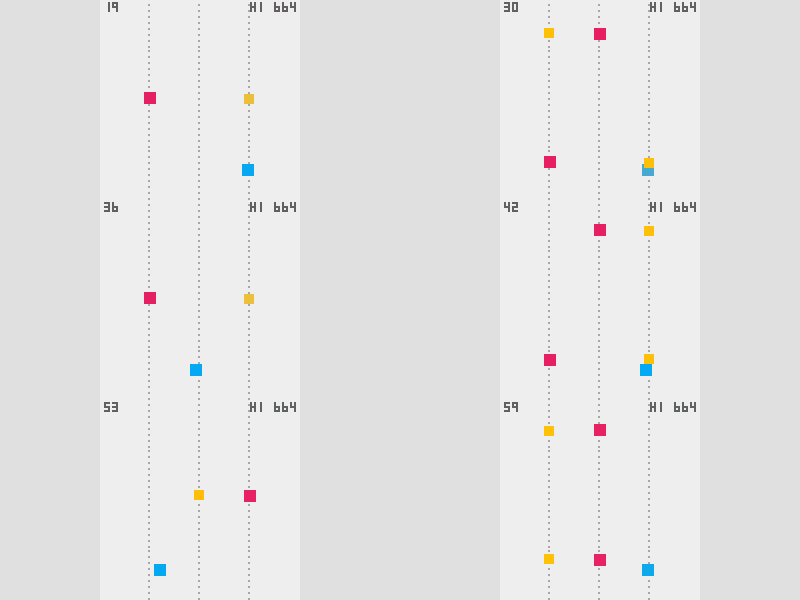
abagames/claude-one-button-game-creation project is one of the most technically honest AI game generation experiments publicly documented. Every game in the repo was produced by Claude Opus 4.5 running inside Claude Code, using a library called crisp-game-lib — a minimal JavaScript game engine that produces complete browser games in roughly 150 lines of code. 1The constraint driving everything is the one-button mechanic: every game can only be controlled with a single input (press or release), which forces the AI to design interesting physics and progression within a very narrow interaction space. That constraint turns out to be a feature rather than a limitation — it keeps the generated code short enough for a language model to hold the full game state in context, and short enough to evaluate automatically.
How the generation pipeline works
The project defines six agent skills as structured documents in
.agents/skills/: one for designing one-button games, one for general mini-game design, one for implementing crisp-game-lib specifics, one for translating design intent into code-level invariants, one for evaluating gameplay balance, and one for visual polish ("maximizing game feel"). Claude Code reads these skill files as part of its working context on each run.The generation loop:
- A
random_tag_selector.jsscript picks gameplay tags from a CSV of 107 options — things likeplayer-rotate,on_pressed-jump,field-auto_scroll - Claude designs game mechanics following one-button constraints, using the designing-one-button-games skill as its reference
- Claude implements the game in crisp-game-lib (~150 lines of JS)
- A genetic algorithm (
ga_tester.js) runs simulated play sessions with random inputs and with a "skilled" policy to verify that controlled play scores meaningfully higher than mashing — a proxy for the game being learnable rather than random - If the GA evaluation fails, Claude revises based on the simulation feedback and reruns
The GA evaluation step is what separates this from most "AI makes games" demos. Most generator pipelines stop at "does the code run without errors." This one verifies something about the game's actual play dynamics: a game that passes GA evaluation has at least a functional skill gradient, even if it's simple.
Loading content card…
Zero-touch vs. enhanced versions
The repo ships 16 games under a zero-touch label: generated by Claude Opus 4.5 in response to a single "Create a game" request, no human iteration. Games like Cling-Hop, Ghost Hop, Stormveil, and Missile Guide are playable at
abagames.github.io/claude-one-button-game-creation/-zero-touch/.The same 16 games were then put through a second stage: a human made manual balance adjustments, then Claude Opus 4.5 applied the
maximizing-game-feel skill to add visual polish — particle effects, screen shake, audio cues, animation curves. These "enhanced" versions live under the -revised/ path. The before/after comparison is instructive: the zero-touch games are playable but sparse; the polished versions feel like actual arcade releases.Beyond those 16, the
GAMES.md gallery lists 53 additional games (as of the current repo state) spanning physics puzzles, scrolling dodgers, precision timing challenges, and trajectory-based games. All source code is in the docs/ directory; all are playable directly in the browser. 2What the architecture reveals
The skill document approach — structured text files that Claude reads as part of its working context — functions as domain-specific fine-tuning without weight updates. The
designing-one-button-games skill encodes decades of arcade game design knowledge (rhythm, risk/reward, moment-to-moment tension) into a document Claude can reference during generation. The implementing-gameplay-invariants skill translates design intent ("the player should always have an escape route") into concrete code-level checks. The evaluating-gameplay-balance skill gives Claude a framework for reading GA telemetry output and deciding what to fix.This decomposition — each skill solves one problem, all skills compose — is probably the most transferable lesson from the repo. A single "make a game" prompt fails at edge cases that specialists catch immediately. Six narrow specialists, composed, handle them systematically.
Case 2: KilledByAPixel ships 50 arcade games with Claude Code and LittleJS
Frank Force — game developer and creator of the LittleJS engine — spent several months rebuilding 50+ classic arcade games using Claude Code as his primary collaborator, then shipped them as the LittleJS Arcade. The resulting repo, KilledByAPixel/LittleJS-AI, is as much a documented workflow as it is a game collection. 3
LittleJS is designed to be small enough for an AI model to hold the full API surface in context: no external dependencies, a global API, and enough built-in affordances (sprites, particles, sound, tilemap, input) that Claude Code can write complete games without reaching for external libraries. The
reference.md file in the repo is a condensed API guide written specifically for AI consumption.The repo structure separates concerns cleanly: starter templates, helper modules, Claude-compatible skill files (in
.claude/skills/), and build tooling are all in LittleJS-AI. The finished games live in a separate LittleJS Arcade repo with 1,250 commits — evidence of steady iteration rather than a one-shot generation run. 4The project also ships a LittleJS GPT — a custom ChatGPT action at
chatgpt.com/g/g-67c7c080b5bc81919736bc8815836be6-littlejs-game-maker — for users who want to generate games without writing any code. For developers, the .claude/skills/ directory gives Claude Code enough LittleJS-specific context to build, debug, and iterate on full games. LittleJS-AI has 65 GitHub stars and 10 forks as of mid-June 2026.Loading content card…
The announcement post on r/WebGames captures the community response — a thread that mixed genuine curiosity ("how did you handle collision detection?") with requests to open-source the generation prompts, which Force obliged by publishing the
.claude/skills/ directory.Loading content card…
The contrast with the
abagames project is worth naming directly. LittleJS-AI is a developer-facing toolkit — it assumes a human is in the loop, guiding what game to build and reviewing the output. The abagames project is an autonomous generation system — the human provides a "Create a game" prompt and the GA evaluator closes the feedback loop. Both approaches ship real playable games. They just place the human at different points in the process.Case 3: Wolffun Game Studio cuts code review time 90% with Gemini 2.5
Wolffun Game Studio, a Vietnamese mobile developer behind Thetan Arena (30 million players) and Thetan Immortal, published a case study with Google AI Studio in February 2026 documenting how they integrated Gemini 2.5 Pro and Gemini 2.5 Flash Image into their production pipeline. 5
This case study is different in character from the first two: Wolffun isn't generating full games from prompts. They're using AI as a force multiplier inside an existing professional development workflow.
What Gemini 2.5 Pro does in their pipeline
The Wolffun team built several internal tools integrating Gemini 2.5 Pro:
- Automated GitHub bot: analyzes entire codebases to suggest shader optimizations and refactor legacy systems. Code review time dropped by 50% for junior developers and up to 90% for senior engineers, freeing leads to focus on architecture rather than line-by-line review.
- Game design and balancing: the model analyzes historical player match data to calculate bot difficulty curves. Balancing formulas that previously required days of manual calculation are now resolved in minutes.
- Engineering task automation: debugging existing code, automating high-level engineering tasks beyond simple code completion.
- Story development and localization: generating backstories and dialogue in 8 languages, with cultural nuance tracking.
Nguyen Dinh Khanh, Wolffun's CEO, quoted in the case study: "The performance of Gemini 2.5 Pro in tasks requiring complex reasoning, coding, and problem-solving demonstrated a clear advantage. For a game studio, the ability to efficiently handle tasks like performance optimization and complex game logic generation is a decisive advantage." 5
Gemini 2.5 Flash Image for asset production
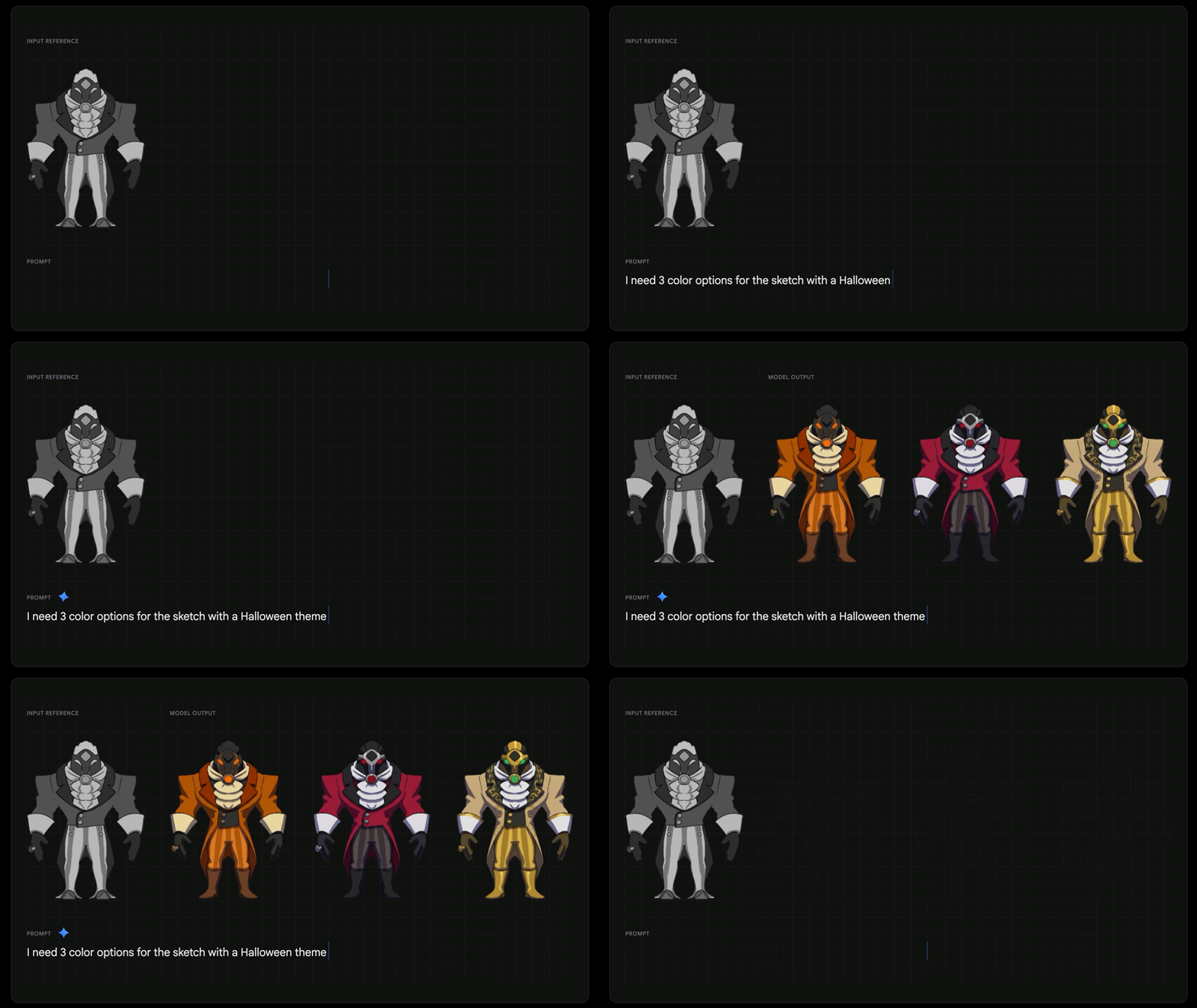
On the creative side, Wolffun integrated Gemini 2.5 Flash Image for rapid visual brainstorming. The model generates new character art from a reference image — the case study includes a demo GIF showing concept art variants generated from a single character reference. Asset production efficiency increased 40% and marketing banner production by 35-40%. 5
Their stated next direction is AI-generated content pipelines for real-time, personalized quests — in-game events generated dynamically based on a specific player's recent actions.
What these three cases actually share
Placed side by side, the cases look like they're doing completely different things. One generates whole games from tag seeds. One rebuilds arcade classics through developer-AI collaboration. One accelerates professional game production with reasoning models. But the underlying architecture keeps converging on the same answer:
AI performs best when the output space is bounded and the evaluation criteria are explicit.
In
abagames, the crisp-game-lib API constrains what the generated code can look like, and the GA evaluator provides explicit feedback. In LittleJS-AI, the engine's small API surface and the .claude/skills/ context files narrow the search space. At Wolffun, Gemini 2.5 Pro's effectiveness on shader optimization and difficulty balancing comes from the same logic: those are tasks with verifiable outputs (the code compiles and runs faster; the difficulty curve matches the target function) rather than purely subjective ones.The projects that produce the most reliable results — where the AI can iterate without constant human correction — are the ones that have done the most engineering work to define what "correct" looks like in machine-readable terms. That's not a limitation of current AI models. It's how professional software engineering has always worked.
| Project | Model | Method | Human role | Key constraint mechanism |
|---|---|---|---|---|
| abagames/claude-one-button-game-creation | Claude Opus 4.5 | Fully autonomous generation | None (zero-touch) | crisp-game-lib API + GA evaluation |
| KilledByAPixel/LittleJS-AI | Claude Code | Developer-AI collaboration | Reviews, guides, iterates | Small API surface + skill files |
| Wolffun Game Studio | Gemini 2.5 Pro + Flash Image | Production pipeline integration | Defines task, reviews output | Codebase context + quantifiable metrics |
All three repos are open source or publicly documented. If you're evaluating how AI fits into your own game development stack, the honest answer from this evidence is: start with the most constrained problem you have, make the success criteria explicit before you write the prompt, and build evaluation in from the start.
Add more perspectives or context around this Post.